 GardenCalc
See it live
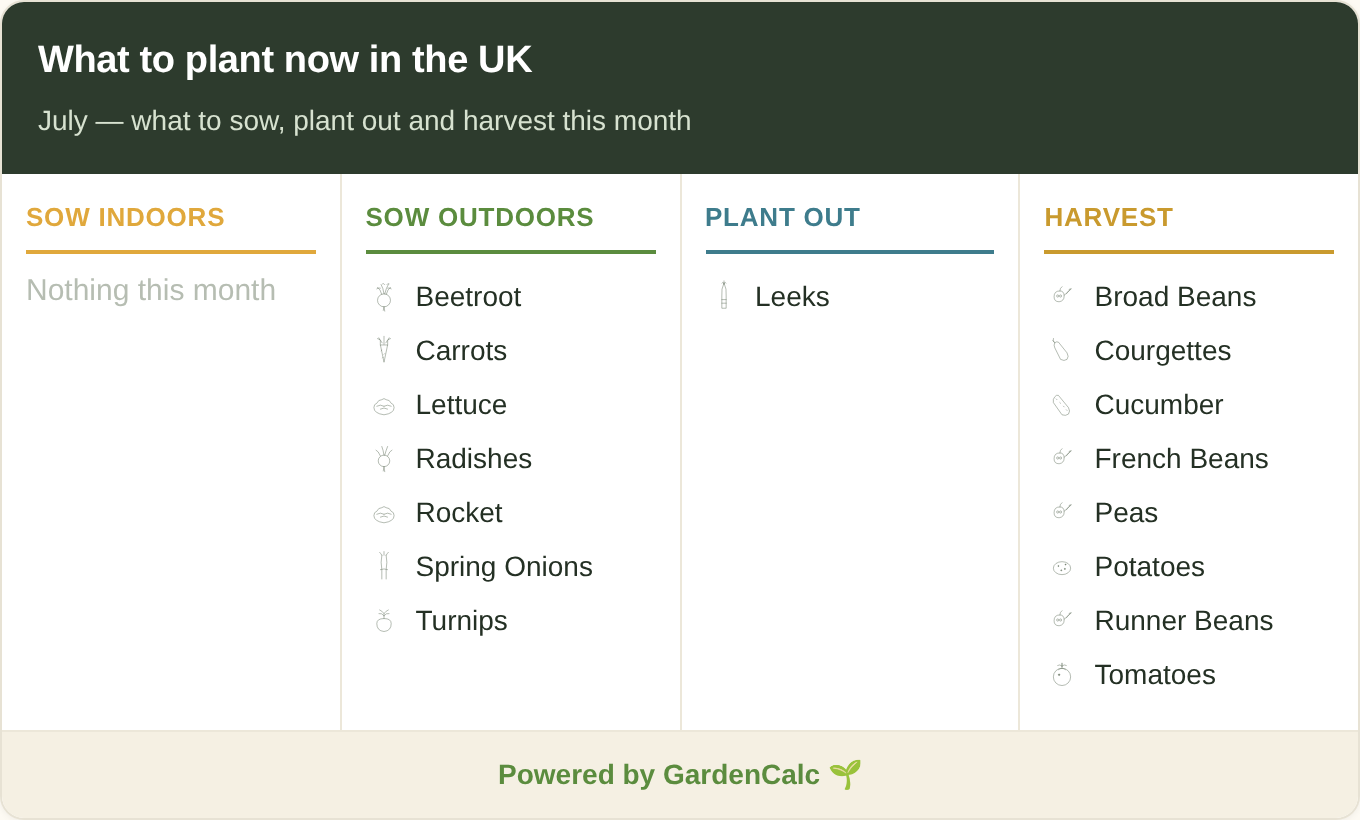
This is the actual widget. It updates itself every month, so you never touch it again.
Add it to your site in 30 seconds
- Copy the code below.
- Paste it into a raw-HTML block so your site builder doesn't reformat it. In WordPress that's the Custom HTML block, in Squarespace a Code block, in Wix the Embed HTML / iframe element, and on Blogger switch the editor to HTML view. (A normal “paragraph” or visual editor can strip the credit line, so use the code block.)
- Save. That's it: the widget loads straight from GardenCalc and stays current on its own.
Your embed code
<iframe src="https://www.gardencalc.uk/embed/planting-calendar"
        width="100%" height="560" style="border:0;max-width:680px"
        title="What to plant now — UK planting calendar by GardenCalc"
        loading="lazy"></iframe>
<p style="font:14px/1.5 sans-serif;margin:6px 0 0">UK planting calendar by
  <a href="https://www.gardencalc.uk/planting-calendar?utm_source=embed&utm_medium=widget&utm_campaign=planting-calendar">GardenCalc</a>
</p>The little line below the calendar (“UK planting calendar by GardenCalc”) is the credit link. Please leave it in; it's the only thing we ask in return.
What it looks like
Simple terms
- Free to use on any UK gardening website, blog or allotment site.
- Always current: the calendar shows the right month automatically, so it never goes stale.
- Nothing to install: no plugin, no account, and no tracking of your visitors beyond an anonymous load count.
- One ask: keep the visible “by GardenCalc” credit link that comes with the code.
Questions
Will it slow my page down?
No. It loads lazily (only when a visitor scrolls to it) and the widget itself is a tiny, self-contained page.
Do I have to update it each season?
Never. It reads the current month and shows the right crops on its own. When we add region-specific dates later, your embed gets the upgrade automatically.
Can I change the width?
Yes, it's responsive and fills the space you give it, up to a tidy 680px. Adjust the max-width in the code if you'd like it narrower.
Is the data reliable?
It's the same UK sowing-and-harvest guidance behind our full planting calendar: practical month-by-month timings for the UK growing year.
Anything else? Email hello@gardencalc.uk and we'll happily help you get it looking right.